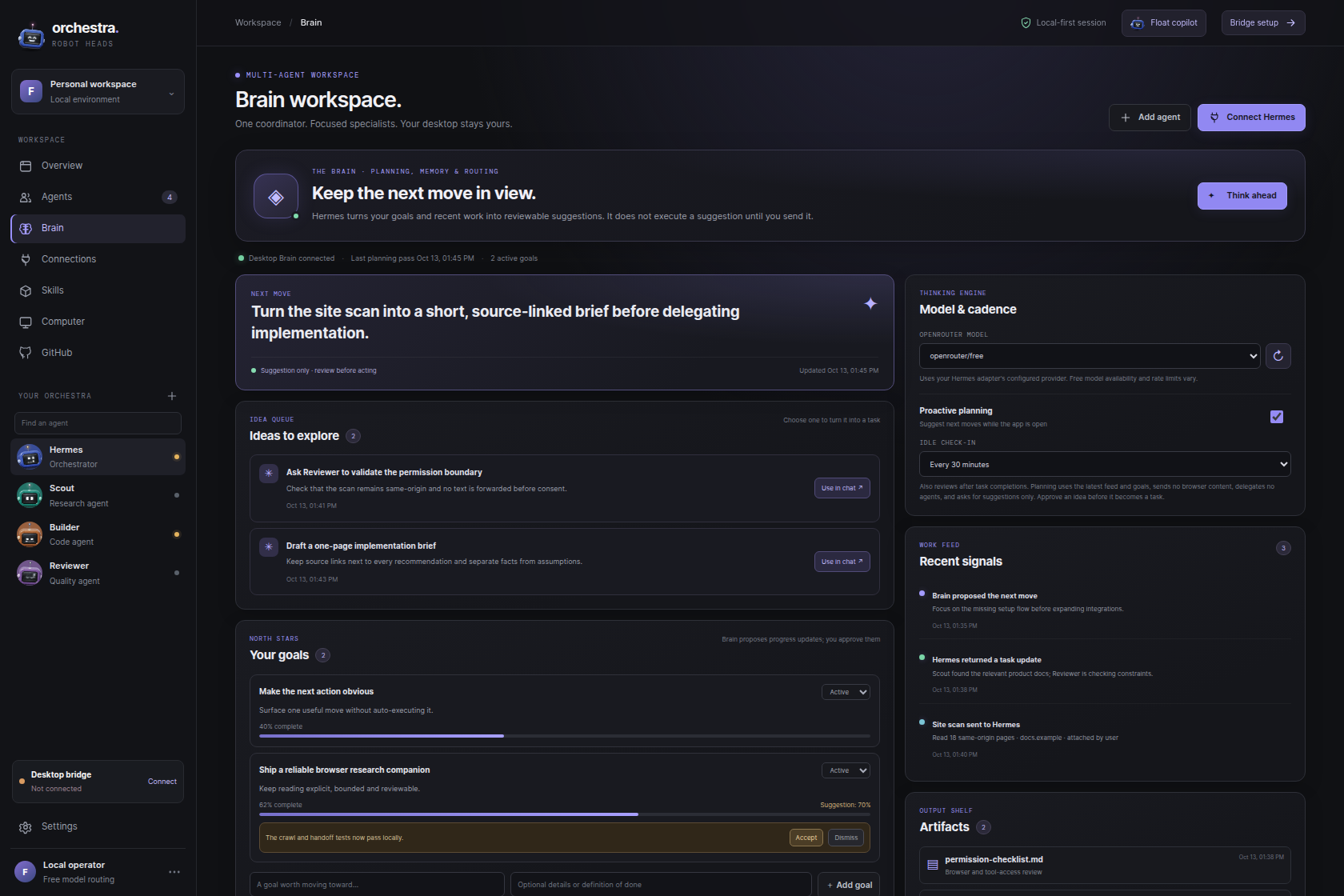
 BRAIN / SUGGESTIONS, NOT SILENT ACTIONS
01 / KEEP CONTEXT
A Brain that keeps the next move visible.
Keep goals, ideas, and recent work in one reviewable workspace. Suggestions stay suggestions until you choose what to do next.
Coordinate specialist AI agents from your Windows desktop. Keep tasks, goals, and activity visible; choose direct local Ollama or optional Hermes delegation. The free v0.6.0 download is for Windows x64.
Check the latest GitHub releaseThe current v0.6.0 app starts new profiles on hosted OpenRouter Free. To keep inference on this PC, install a model in Ollama, then select it under Task Model. Direct local inference needs no Hermes adapter or model API key. Browser and Knowledge context remain opt-in.
127.0.0.1:11434; this route bypasses the separate Hermes bridge.Use the official Windows installer, then leave Ollama running on this PC.
Install Ollama ↗Choose a model from the Ollama library. In PowerShell, use ollama pull <model-name> and wait for the download to finish.
Click Detect local Ollama, then choose the installed model under Task Model. New v0.6.0 profiles start on hosted OpenRouter Free until you switch.
ollama list; if the list is empty, choose a model from the Ollama library and install it.Research notes, drafts, and suggestions stay visible and reviewable. Start with local Ollama; choose the optional Hermes route only when you want delegation.
BRAIN / SUGGESTIONS, NOT SILENT ACTIONSKeep goals, ideas, and recent work in one reviewable workspace. Suggestions stay suggestions until you choose what to do next.
Open the draggable desktop head and compact chat when you need them. Keep it out of the way when you don’t.
Run inference through Ollama on your PC, or connect a compatible local Hermes bridge for optional delegated work. These are separate routes.
Authentic Robot Orchestra screens—not concept-only UI. The Brain keeps goals and suggestions reviewable; local inference is the recommended first route, with Hermes available when you choose delegation.
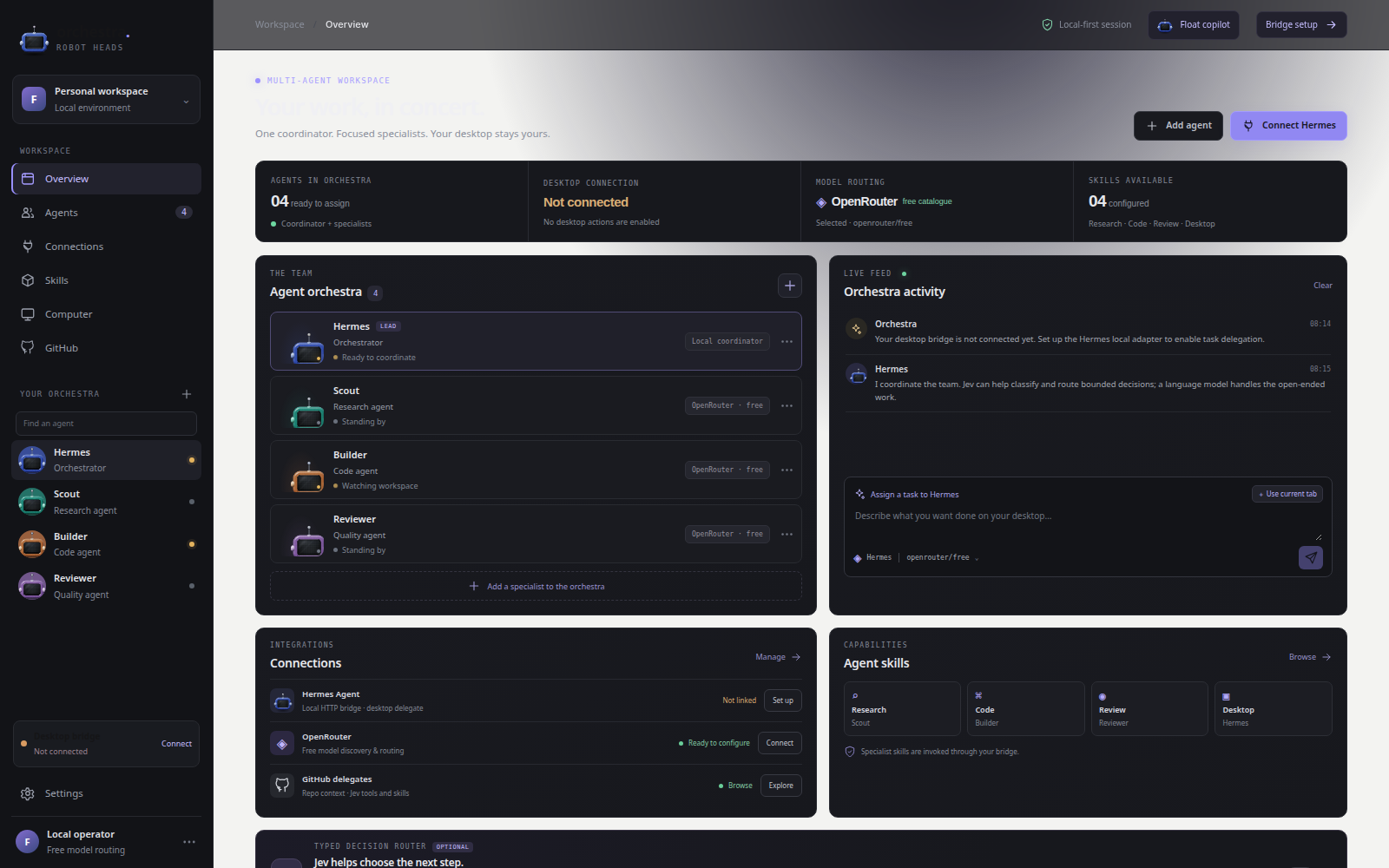
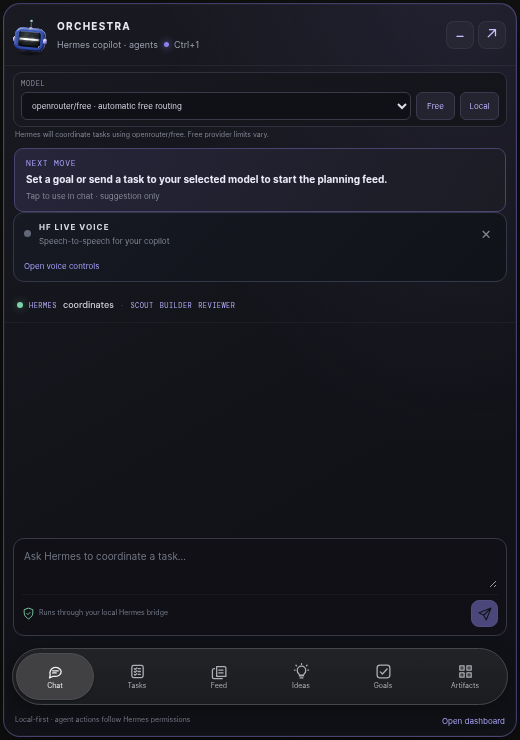
Install Robot Orchestra 0.6.0 for Windows with a per-user setup—no administrator access is required. New profiles use hosted OpenRouter Free by default. Choose an installed Ollama model under Task Model for on-device inference; the separate Hermes bridge is optional.
The planned V2 expansion adds a richer voice companion and a multi-environment view. Mobile remains platform-specific: Android is the direction for true floating-head support; iOS would use system surfaces such as Dynamic Island / Live Activities and wallpaper experiences, not a permanent overlay.
The current Windows desktop download is free. V2 is planned at $8.99 one-time; no checkout or purchase is available on this page.
This is a roadmap preview, not an offer to purchase. Features, timing and final terms may change before release.
Can’t find the answer? Ask the Robot Orchestra head in the corner, or email EDGE | AGENCY.
No. In v0.6.0, new profiles start on hosted OpenRouter Free. For on-device inference, install Ollama and a model, click Detect local Ollama, then choose it under Task Model. The separate Hermes bridge is optional for delegated work.
Robot Orchestra stores its Brain data on your PC, but model routing depends on your selection. New v0.6.0 profiles start on hosted OpenRouter Free; direct Ollama sends inference to the Ollama service on your PC. The separate Hermes bridge may use its configured model provider. Browser and Knowledge context are off until you opt in.
The Chrome/Edge companion supports user-triggered, bounded site scanning. Review the captured text first; page text is not sent to a model until you explicitly include it. The browser side panel is optional to the desktop download.
Release 0.6.0’s Windows installer is unsigned. SmartScreen may warn when you run it. Download only from the official GitHub release and compare the SHA-256 shown on this page if you choose to verify it; v0.6.0 does not attach a separate checksum file.
No. $8.99 is the planned one-time V2 price, not a current offer. The Windows 0.6.0 download is free, and this page has no checkout. Mobile directions are planned only: Android floating-head support; iOS Dynamic Island / Live Activities and wallpaper experiences.